 Ikariam
What oBot for Ikariam is
oBot for Ikariam is an assistant that runs inside the game tab, through the Tampermonkey extension. It keeps the construction site of every town busy, can develop your towns by itself towards a goal (for example the first colony), puts citizens to work, starts research, buys merchant ships and trains spearmen. It warns you about incoming attacks and economy problems (warehouse full, wine running out, gold dropping), in the page and on Telegram, and keeps a log of everything it does.
Testing version
First steps
- Install Tampermonkey and the script. Install the Tampermonkey extension in Chrome or Firefox, then open https://js.obot.it/ikariam/obot-ikariam.user.js and press Install. Details are in the Installation section.
- Enter your Ikariam server. The oBot button appears at the bottom left of the page: open it. The first time, the bot creates your oBot account by itself, with no sign-up and a few days of premium trial.
- Switch on automatic development. In the Buildings tab switch on Build queue active and Automatic development, choose the First colony goal and press Save. From now on the bot picks the next building of every town by itself. If you prefer to decide yourself, add buildings to the queue by hand (Build queue section).
- Put citizens to work. In the Citizens tab switch on Automatic citizens and save: a newly founded town has everyone idle and produces no wood.
- Switch on research. In the Research tab switch on Automatic research and save: with the First colony goal the bot goes straight for Expansion, which unlocks the Palace and colonies.
- Check the alarms. In the Alarms tab the attack alarm and economy warnings are already on: press Test the alarm to see what the alert looks like.
- Link Telegram (recommended) to get alarms and warnings on your phone and, if you like, the alert when the bot stops: see the Telegram and Alarms sections.
Ready-made profiles
At the top of the Home you find the Ready-made profiles: Expansion (first colony), Economy, Raiding and Careful. One click sets every automation for that play style, with numbers taken from your account (gold, production, ships). The recommended one is chosen by reading your account; before saving you see what changes, and Undo profile puts back the previous settings. With Follow the recommended profile by itself on, the bot switches profile when the recommendation changes, for example from Expansion to Raiding once the colony is founded.
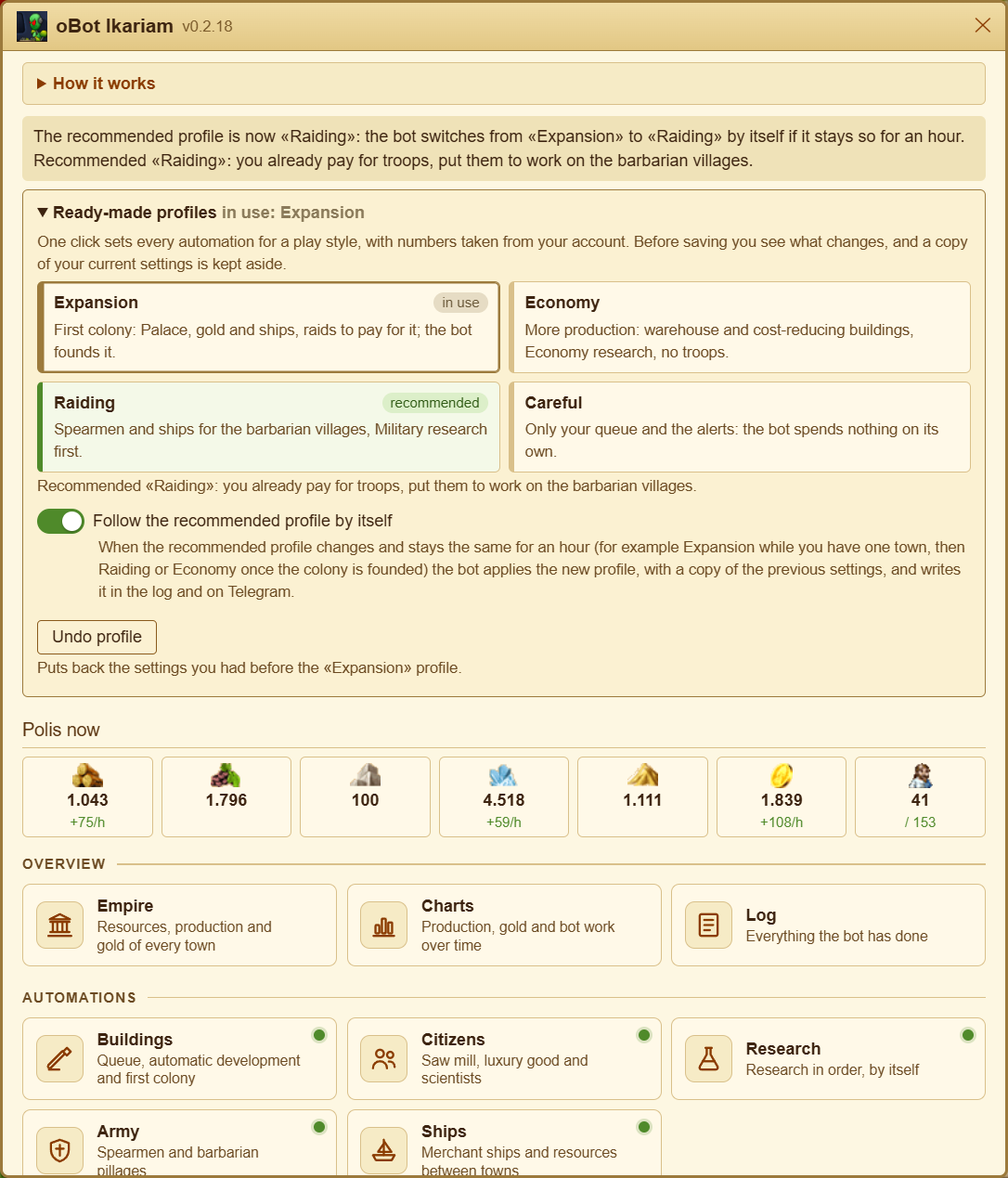
Saving is always explicit
The panel
Home
Charts
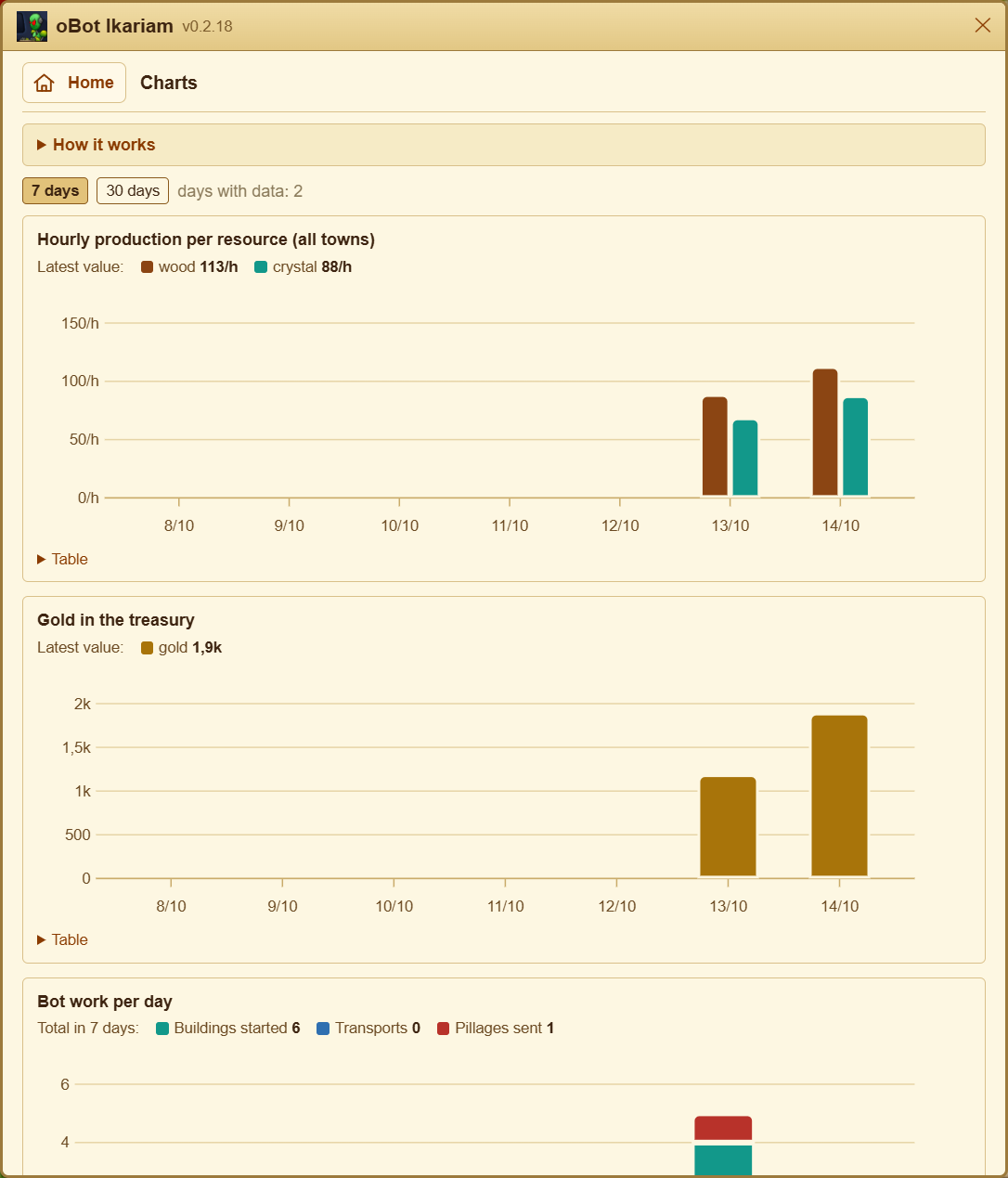
Empire
Buildings
Citizens
Research
Ships
Army
Alarms
Telegram
Bot language
Log
Status bar
Version and news
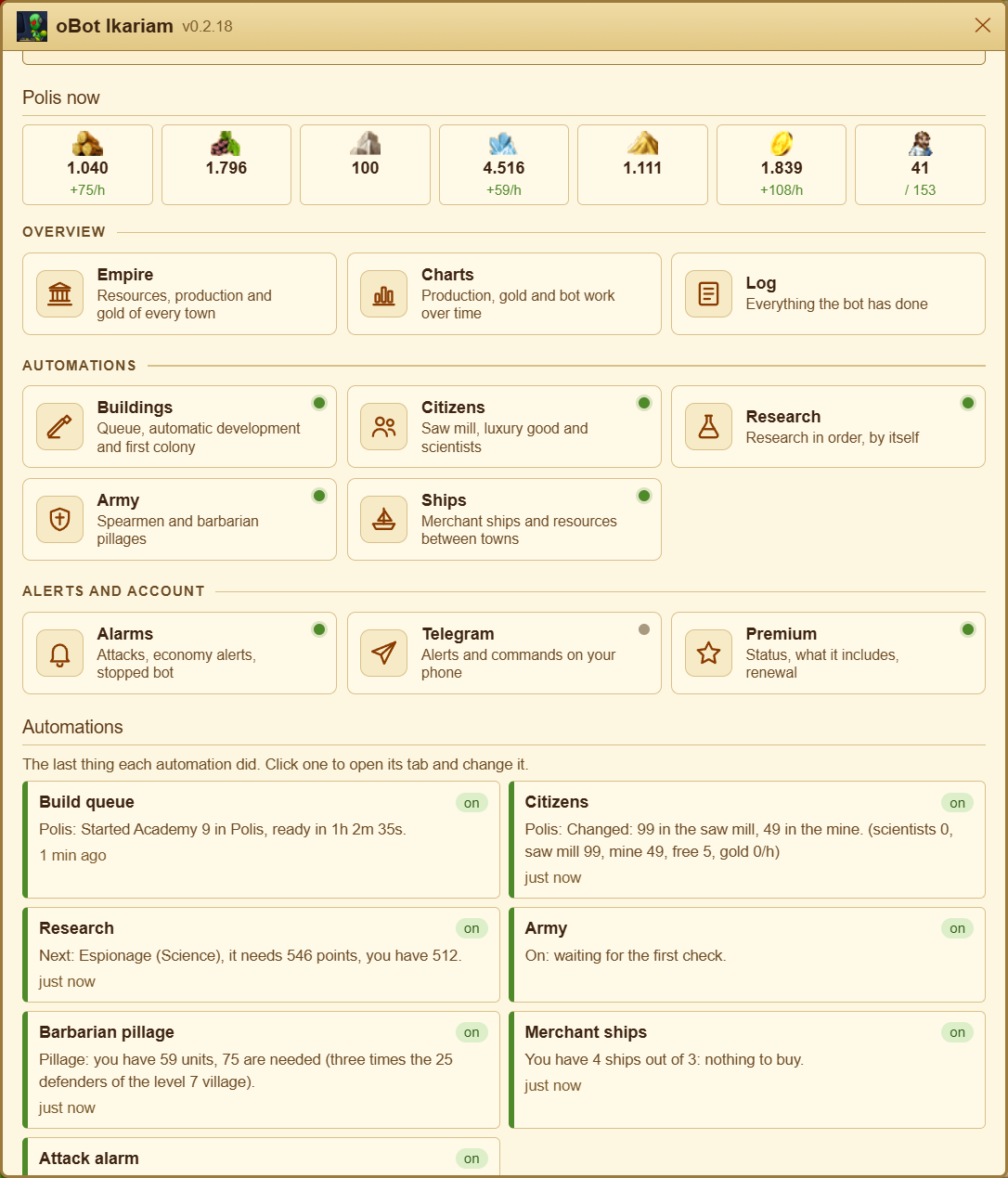
The Home is a grid of tiles in three groups: Overview (Empire, Charts, Log), Automations (Buildings, Citizens, Research, Army, Ships) and Alerts and account (Alarms, Telegram, Premium). Each tile says what its page is for and has a dot: green on, grey off, orange waiting for premium. Every page has the Home button at the top.
Free and premium
Free
- Attack alarm, in the page and on Telegram
- Economy warnings and the alert when the bot stops
- Empire overview, daily gifts of the first week and the daily login bonus
- Build queue: the first 2 upgrades of every town
- Telegram link and log
Premium
- Unlimited build queue, with new buildings on free plots
- Automatic development with goals
- Jobs started «meanwhile» while the first one waits for resources
- Automatic citizens, research, ships and army
Premium is the same as oBot for OGame (same packages) and every new account gets a few trial days. Without premium, the settings of premium features are saved anyway: they start as soon as premium is active.
How it works
- The bot works only while a game tab is open, even in the background. With the browser closed, the PC asleep or the tab frozen by Chrome nothing happens: see the FAQ The bot stopped for hours.
- With several tabs open on the same server only one works, the «leader tab»: the others stay idle, so the same building never starts twice and the same alarm never arrives twice. If you close or reload the leader tab, another one takes its place.
- The bot does not reload the page while you play: when it starts something it tells you with a notice in the page. The town view shows the construction site at the next page change.
- Settings are stored on the oBot server, tied to your game account: they survive a reinstall and follow you to another PC.
- Updates arrive by themselves through Tampermonkey; before running new code the bot checks its fingerprint.