 OGame
What it unlocks
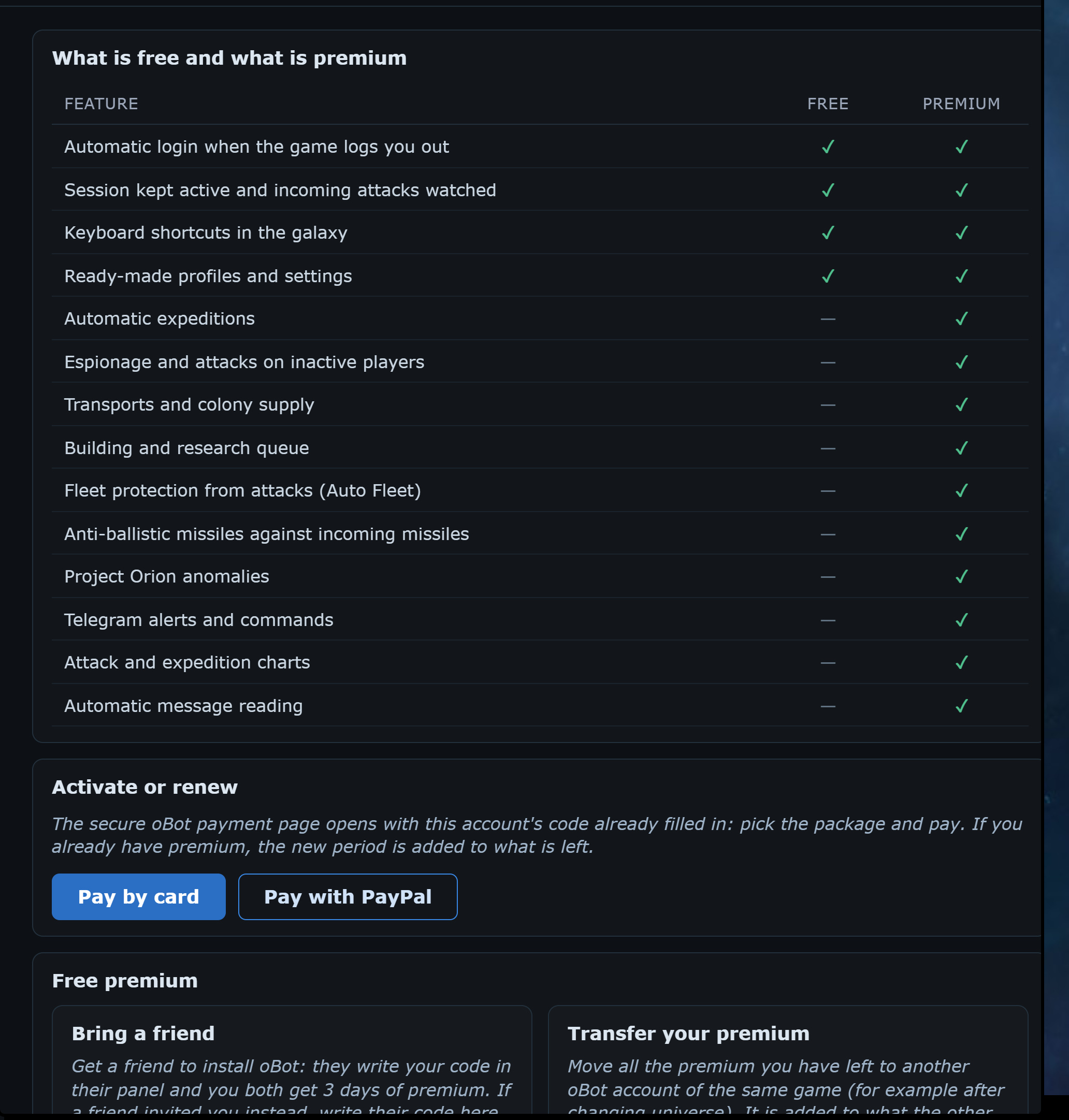
Without premium oBot logs you back in when the game disconnects you, keeps the session active, watches incoming attacks and adds the galaxy keyboard shortcuts; ready-made profiles, settings and the building queue up to 3 items per planet are free too. Premium unlocks expeditions, attacks, transports and colony supply, the unlimited queue with parallel lanes and automatic development, fleet protection (Auto Fleet), anti-ballistic missiles, Project Orion anomalies, Telegram, Charts and message reading.
Free trial
How to activate it
After paying
- Open the oBot panel and choose Premium. At the top you see the state of your premium and the table of what is free and what is premium.
- Press Pay by card or Pay with PayPal: the secure payment page opens with your account code already filled in.
- Pick the package (1, 6 or 12 months) and pay. If you already have premium, the new period is added to what is left.
- Activation is immediate: reload the OGame page and check the new expiry at the top of the panel.
Bring a friend
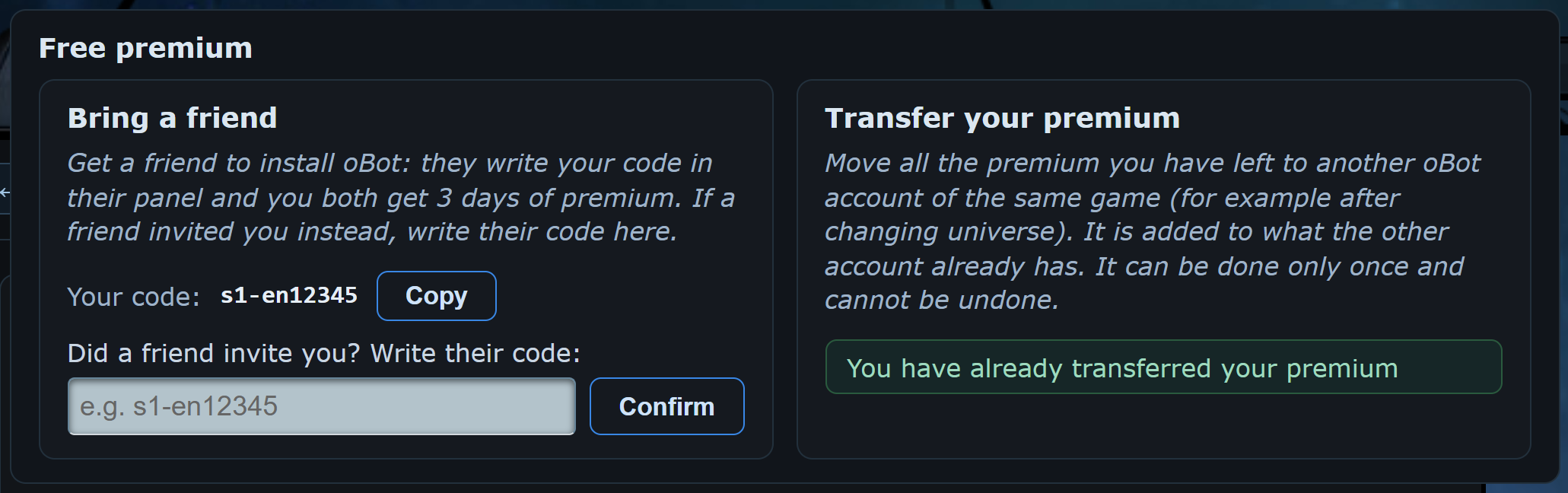
Bring a friend is in the Free premium box of the Premium page: you and your friend get 3 days of premium each. Next to Your code press Copy and send the code to your friend. They install the bot, open the same page, write your code under Did a friend invite you? and press Confirm.
- the code of whoever invited you can be entered only once per account;
- if the code does not exist or that account does not use oBot on this game, a message says so clearly;
- the account entering the code must be above a minimum score, stated by the error message;
- accounts on test servers do not count.
Transfer
Servers are split into three groups, and premium can only be transferred between servers of the same group. The group depends on the letters after the number in the server address: in s1-br it is br. In the Transfer your premium box the bot shows your server's group; if you enter the code of an account in another group, the transfer does not start and your premium stays where it is.
- Europe: it, fr, de, en, es, pt, nl, dk, fi, se, gr, si, cz, sk, pl, hu, hr, ro, jp, tw and every server not listed here
- United States: us
- Latin America, Turkey and Bosnia: br, ar, mx, tr, ba
Also in Free premium, Transfer your premium moves all the premium you have left to another oBot account of the same game, for example after changing universe. Write the other account's code and press Transfer: the premium is added to what the other account already has. The bot asks for confirmation first. It can be done only once and cannot be undone.